Compliance and safety
Audit-ready
every day,
not just the
day they call.
Keep driver records organized, see what is expiring, and check readiness before dispatch. When an audit comes, build a binder from the documents already on file instead of starting a search.
A clear list of readiness issues to fix
To build a full MC audit packet PDF
FMCSA authority and safety, pulled and refreshed
Continuous readiness
Compliance should be maintained every day, not reconstructed for an audit.
A medical card expires. An inspection goes missing. A permit reaches its last day. In a busy operation, small gaps can become roadside delays, missed loads, or hours of audit preparation.
FleetPath tracks commercial driver licenses, medical cards, endorsements, insurance, inspections, and permits alongside the driver and equipment records. Your team sees what needs attention and can act before a deadline becomes urgent.
Before dispatch, FleetPath checks the required driver, equipment, and route records. An expired medical card can stop assignment until it is resolved. Federal Motor Carrier Safety Administration (FMCSA) authority and safety checks help your team review the companies involved in the load.
The value is time to respond: renew the document, change the assignment, or resolve the missing record before the job is at risk.
What stays under watch
Live monitoring across people, equipment, credentials, permits, and operations.
Risk before it happens
An expired medical card, a missing endorsement, or a lapsed permit stops the load at dispatch, not at the scale house.
Action you can take
Know what to fix, who owns it, and how urgent it is.
 FleetPathCompliance Command Center Sample console
 ReadySample posture
Expiring soon
Driver medical card 5m
Insurance policy 18d
IFTA license 26d
Top risk factors
Driver documents expiring 9
Missing inspections 4
Permit expirations 3
Recent activity
Medical card verified 2m
HOS data refreshed 5m
Audit packet built 18m
Documents
When the auditor calls
Build the binder from the work already done.
Your team has already collected the records. Audit preparation should organize them and identify gaps, not send everyone searching for the originals.
FleetPath groups the checklist the way FMCSA reviews it, identifies the records that are present, calls out the gaps, and assembles driver qualification files and supporting documents into one sectioned, downloadable binder.
The source files stay connected to the carrier record so every answer can be traced back to the original credential, inspection, permit, or hours record.
The honest operating model
The evidence connects. You stay in control.
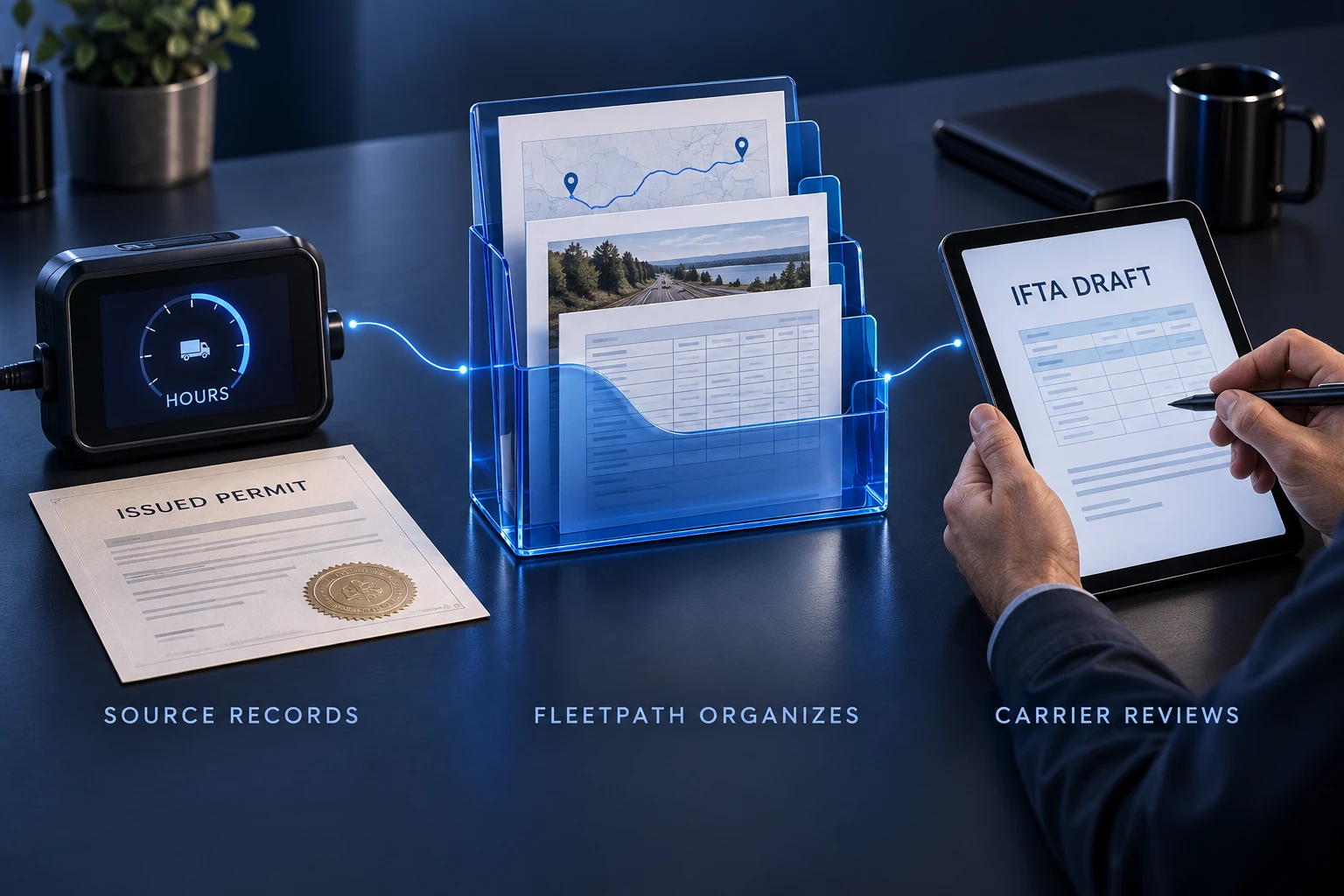
FleetPath organizes the records and prepares the next step. Your electronic log supplies driver hours, the agency issues the permit, and your team makes the final decision.
Connect a Samsara or Motive electronic logging device (ELD) to bring driver hours into the trip plan. FleetPath does not replace the device or invent missing hours. Without a connection, it shows that hours are unavailable.
The operations desk handles permit requests, payment, and filing. Issued permits return to the load for the driver and office. For International Fuel Tax Agreement (IFTA) reporting, FleetPath organizes GPS miles by state and prepares a draft return. You review and file it.
Your company remains responsible for the operation. FleetPath puts the evidence and missing items in view so your people can make a better-informed decision.
Keep the whole fleet audit-ready
Compliance is a system you run every day.
Keep required records close to the work they protect. FleetPath tracks deadlines, checks readiness, and organizes the evidence so your team can spend less time searching and more time resolving the issues that matter.